




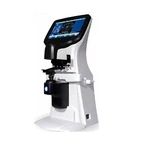

Fault phenomenon: large deviation in the size of the grinding disc of the automatic edging machine
cause of issue:
1. Scanner scan size deviation
Remedy: Execute the scanner scanning parameter calibration procedure: ① Refer to the instruction manual, press and hold the combination button to turn on, and release the combination button after the scanner completes the self-check
②Put the standard device (standard frame or standard template) in the supplied accessories into the scanner
③Press the start button, the machine will automatically scan the standard 2~3 times
④After the scan is completed, the machine will send out a complete alarm sound, and all the indicator lights will go out.
⑤Take out the standard and turn off the power switch
2. Grinding wheel wear
Remedy. Execute the grinding wheel parameter correction procedure:
①Turn on the power of the device, and enter the user menu after the device completes the self-test
②Put the standard in the attached accessories into the lens clamp shaft, and press the lens clamp button to clamp the standard
③ Enter the grinding wheel correction mode program, select the grinding wheel type to be corrected and execute the program
④The program will automatically correct the parameters of the grinding wheel until the correction ends.
⑤Exit the grinding wheel correction mode program, after the equipment automatically returns to the normal position, take out the standard